Tool · Free · No sign-up
Instagram Reels, TikTok & YouTube Shorts safe zone checker
Drop an image or video and see exactly what the Reels, TikTok and Shorts interface covers.
- Runs in your browser
- Reels · TikTok · Shorts
- PNG + ZIP templates
Details
The safe zone is the part of a 9:16 video that the app interface doesn't cover. Your hook, captions or logo can end up under the username, caption and like buttons. Drop an image or video and see what each platform's UI covers before you post. Your file is never uploaded; everything runs in your browser.
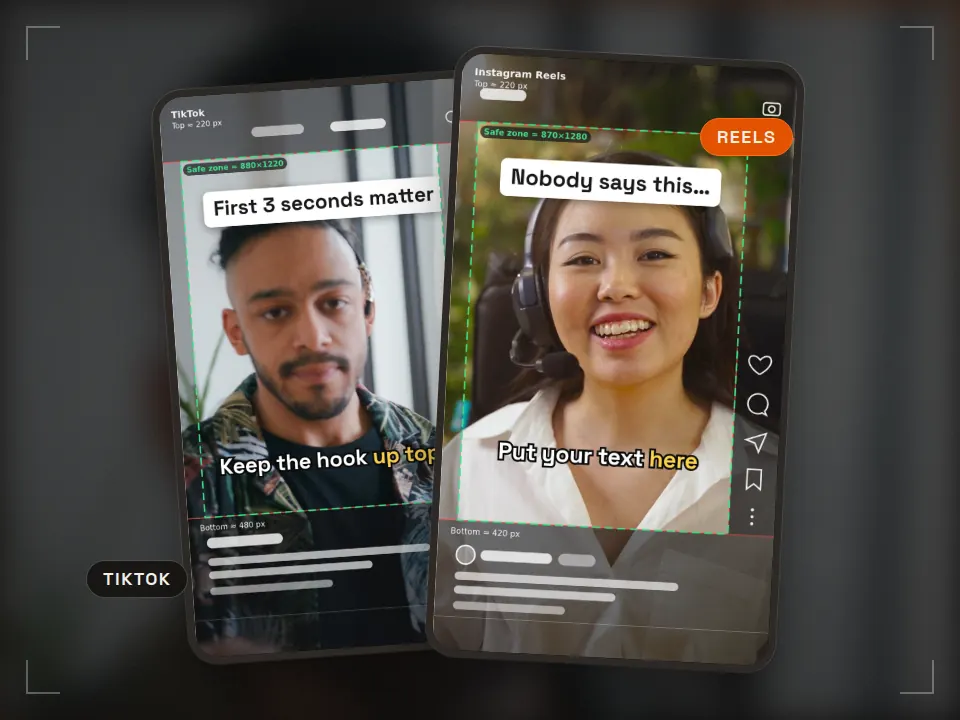
The PNG contains the current frame and the visible layers, with a small Rast Creative credit in the bottom UI band.
- Choose your file. A JPG, PNG or WebP image, or an MP4, MOV or WebM video. A 1080×1920 (9:16) file gives the most accurate result.
- Pick the platform. Dark areas are covered by the app, the green frame is the safe zone. Play and scrub the video; the overlays stay on top.
- Fix and export. Move your text inside the frame, download the frame as a PNG or drop the template into your editor.
Embed this tool on your site
Preview ↗Free for blogs, course pages and resource lists. Paste the code; the tool runs in your visitors' browser, with no tracking inside the frame.
The credit line under the frame reads: Tool: Rast Creative Studio
Download · CC BY 4.0
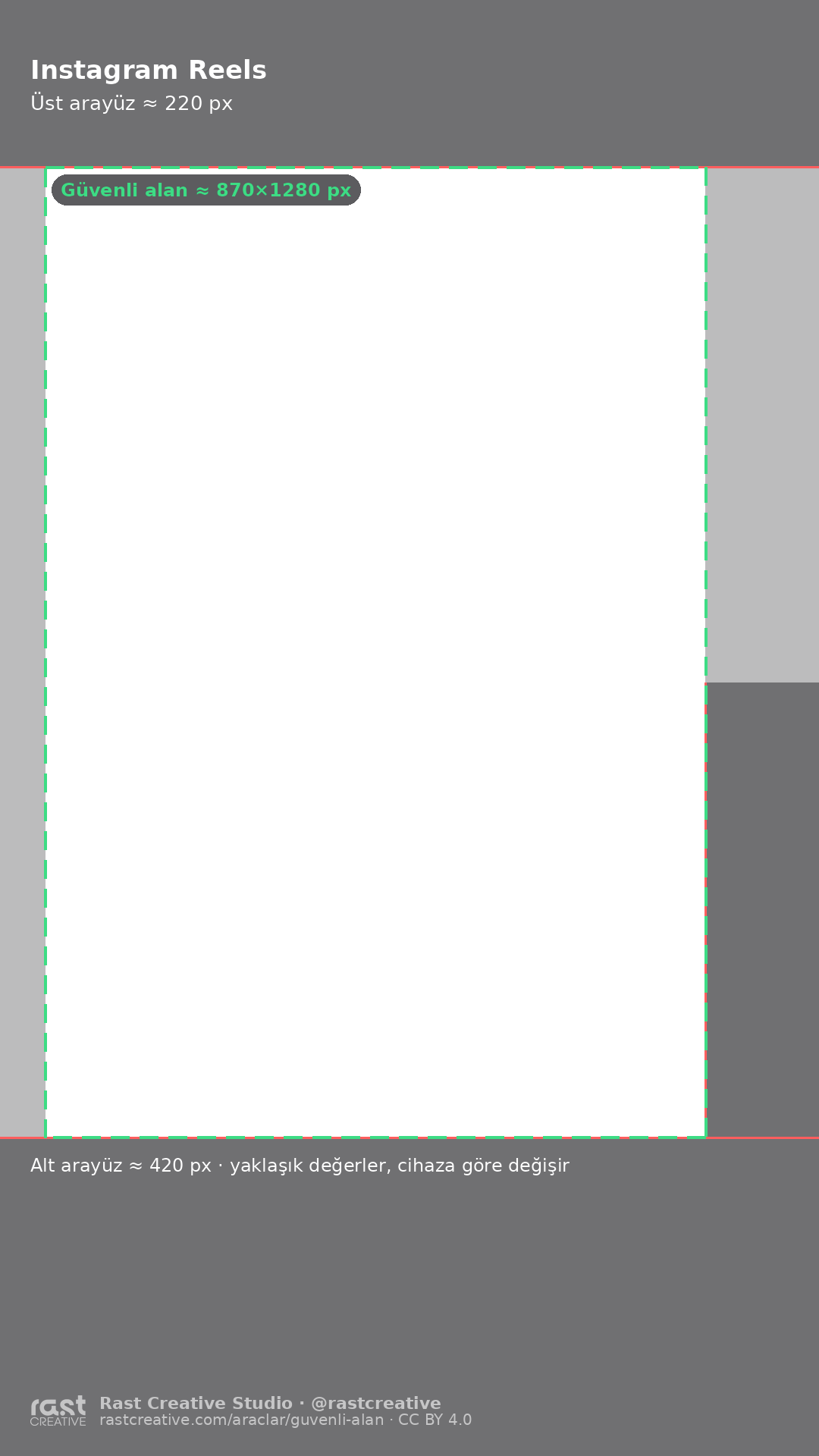
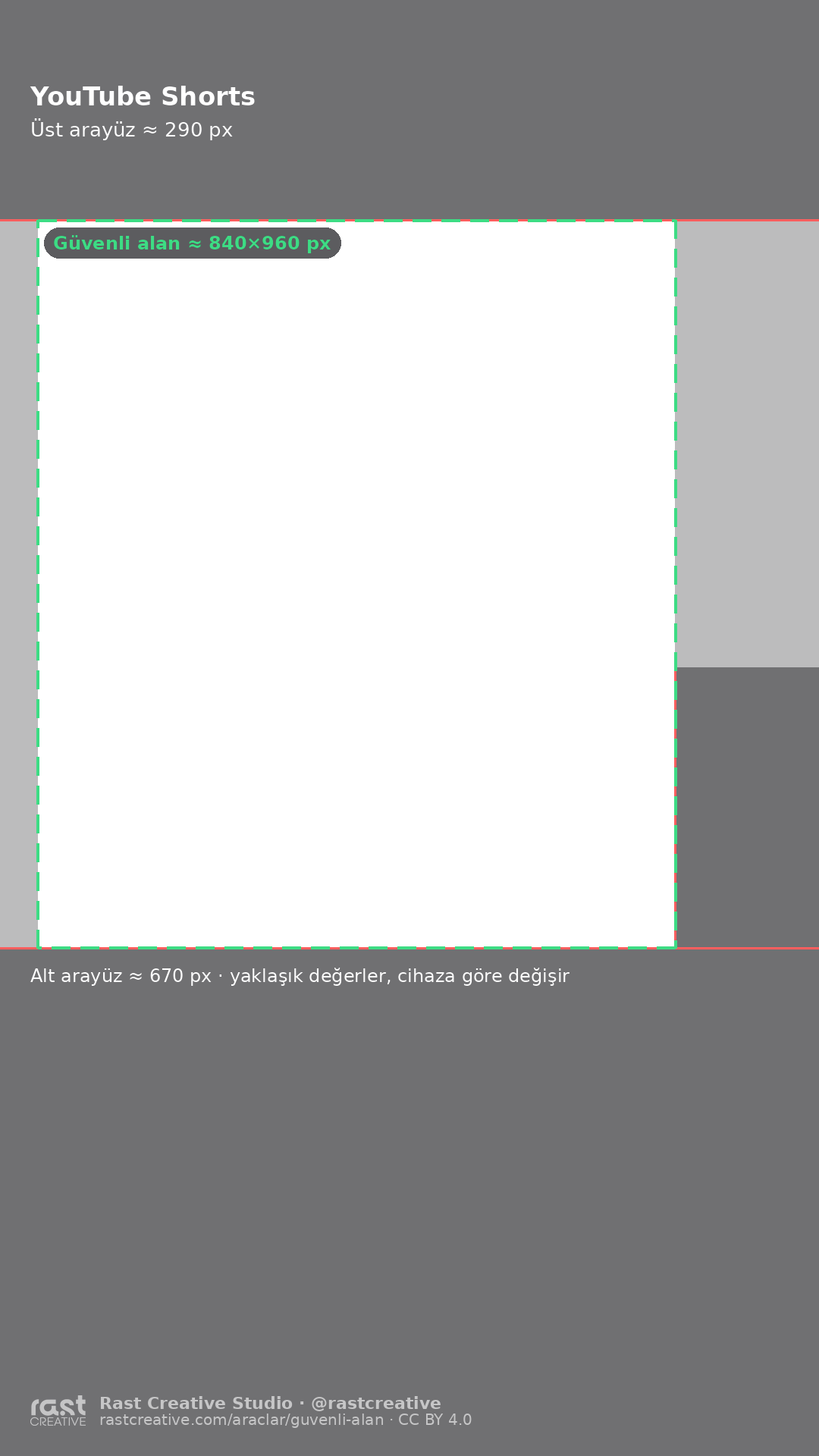
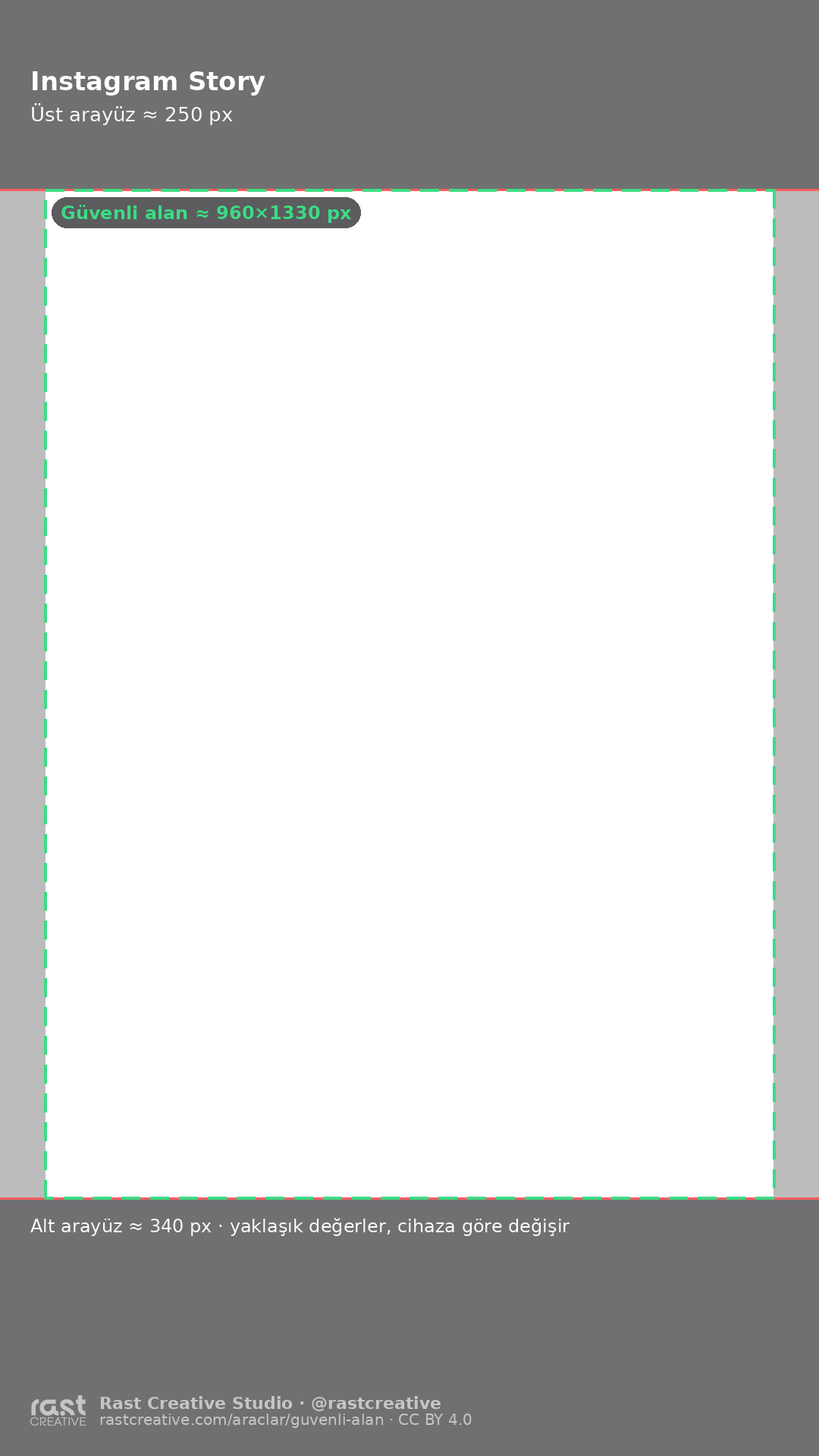
Free transparent PNG safe zone templates (1080×1920)
Put a template on the top track of your timeline in Premiere Pro, After Effects, CapCut, DaVinci Resolve or Canva, keep text inside the green frame and hide the layer before you export. The templates are licensed CC BY 4.0: free for commercial work too, the only condition is credit (“Rast Creative Studio — rastcreative.com”).
Tap a file to download it. All templates are PNGs that open directly in Canva, CapCut and Photoshop.


Specs
Safe zone sizes by platform (Reels, TikTok, Shorts, Story)
| Platform | Top | Bottom | Left | Right | Safe area (px) |
|---|---|---|---|---|---|
| Instagram Reels | 220 px (11.5%) | 420 px (21.9%) | 60 px (5.6%) | 150 px (13.9%) | 870 × 1280 |
| TikTok | 220 px (11.5%) | 480 px (25.0%) | 60 px (5.6%) | 140 px (13.0%) | 880 × 1220 |
| YouTube Shorts | 290 px (15.1%) | 670 px (34.9%) | 50 px (4.6%) | 190 px (17.6%) | 840 × 960 |
| Instagram Story | 250 px (13.0%) | 340 px (17.7%) | 60 px (5.6%) | 60 px (5.6%) | 960 × 1330 |
| All platforms (combined safe zone) | 290 px (15.1%) | 670 px (34.9%) | 60 px (5.6%) | 190 px (17.6%) | 830 × 960 |
| Meta Reels / Story ads (official) | 270 px (14.1%) | 670 px (34.9%) | 65 px (6.0%) | 65 px (6.0%) | 950 × 980 |
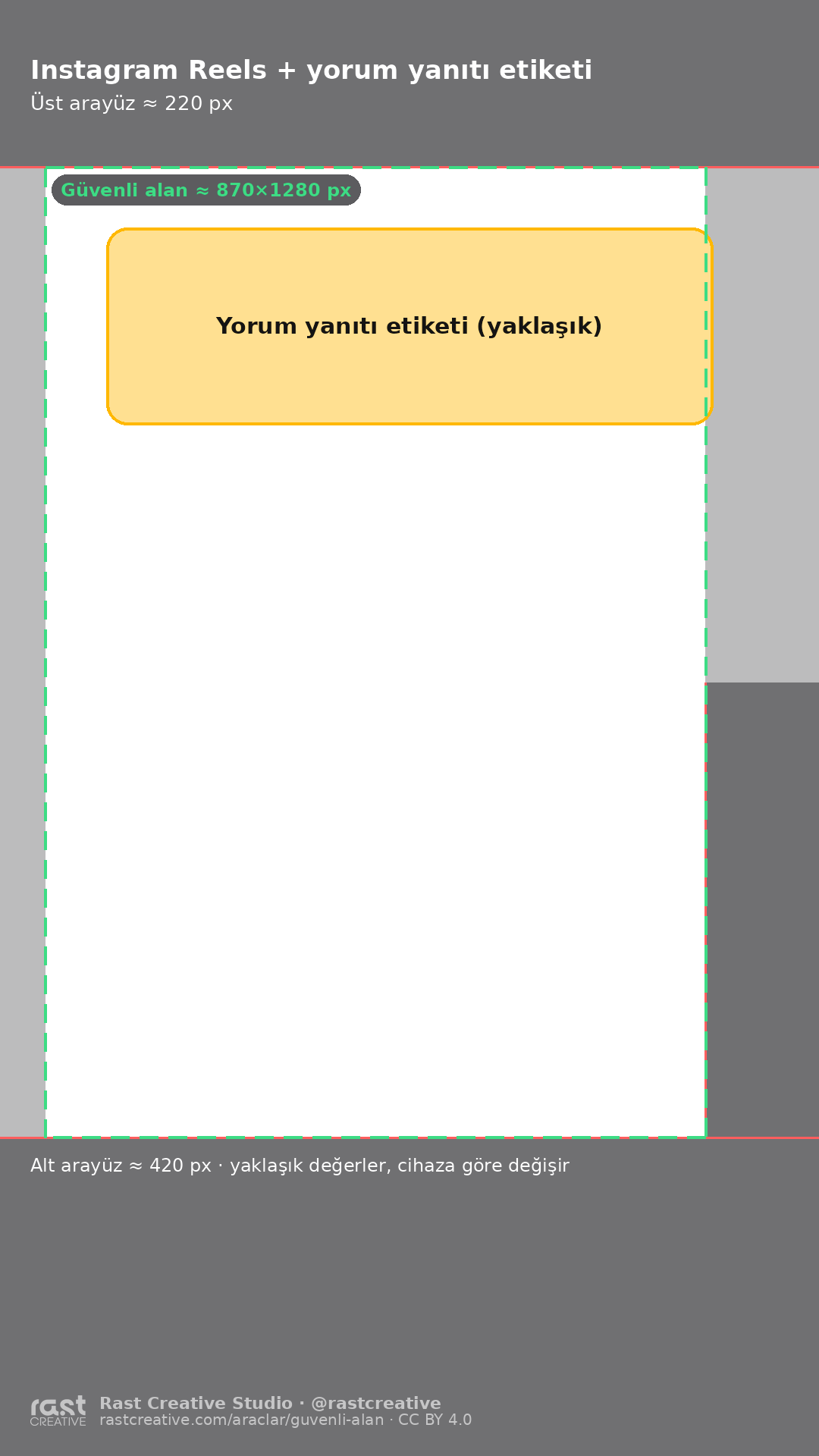
Percentages are of 1920 px vertically and 1080 px horizontally. The right value is the width of the button column, which only covers the middle-to-lower part of the screen (on Reels roughly y 900–1500 px). The Reels comment reply sticker also covers roughly y 300–560 px. All values are rounded to 10 px and vary by device, app version and caption length.
In practice
Where to put text, captions and your logo
- Hook text: just below the top third of the screen, roughly y 300–700 px. The top ~220–290 px sit under the tabs and search bar.
- Captions / subtitles: the default “very bottom” position lands under the post caption. Move captions to the middle or ~700 px up from the bottom (y ≈ 1100–1250); the combined safe zone is the safest bet if you cross-post.
- Logo: small and simple, near the top edge of the safe zone rather than in a corner. The bottom-right corner is under the buttons or the sound disc on almost every platform.
- Faces and products: centred, slightly in from the right edge. The background can run edge to edge; only what must be read needs to be inside the safe zone.
- Reels comment replies: the comment sticker stays on screen for the whole video and can cover the upper middle. Plan the hook and face below it, or drag the sticker to an empty spot before posting.
- Running it as an ad: organic margins aren't enough. For Meta ads, keep the bottom 35% (≈670 px) clear; that's where the call-to-action button appears.
FAQ
Frequently asked questions
What is the Instagram Reels safe zone in pixels?
On a 1080×1920 video, keep roughly 220 px clear at the top, 420 px at the bottom and 150 px on the right. The like, comment and share column sits at about y 900–1500 px. For Reels ads, Meta recommends a wider margin: 14% at the top, 35% at the bottom and 6% on each side.
What is the TikTok safe zone?
On a 1080×1920 TikTok, keep text about 220 px from the top, 480 px from the bottom, 60 px from the left and 140 px from the right edge. The caption block at the bottom and the action column on the right cover the most. Ads need more room at the bottom for the call-to-action button.
What is the YouTube Shorts safe zone?
Shorts covers more than Reels or TikTok: keep about 290 px at the top, 670 px at the bottom and 190 px on the right clear on a 1080×1920 video. These values are rounded from Google's universal safe zone for vertical video ads (288 / 672 / 48 / 192 px).
How do I use a TikTok or Reels safe zone template?
Download the transparent PNG and place it on the top track of your timeline in Premiere Pro, After Effects, CapCut, DaVinci Resolve or Canva. Keep titles, captions and logos inside the green dashed frame, then hide or delete the template layer before you export.
Is my video uploaded to a server?
No. Your file is opened and previewed only in your browser; it is never sent to or stored on a server. The tool itself has no third-party tracking.
How long does the comment reply sticker stay on screen in a Reels reply?
In our own tests, the comment sticker stayed on screen for the whole video. Because you can move it, the tool shows it as an approximate box (default y 300–560 px). Plan your hook and the speaker's face below that band.
Can I use the templates for client and commercial work?
Yes. The templates are licensed CC BY 4.0: use and adapt them in client work, courses and commercial projects. The only condition is attribution: “Safe zone template: Rast Creative Studio — rastcreative.com”.
Why do different sources give different safe zone sizes?
The interface changes with the device, screen ratio, app version and caption length, and ads add a call-to-action button. That's why the values here are approximate and rounded. For important posts, check a draft on your own phone before publishing.
Cite this tool / link to it
Writing a tutorial, a course or a resource list? Copy the link below. When you use the templates, the credit line is: “Safe zone template: Rast Creative Studio — rastcreative.com”.
Looks like: Safe zone template: Rast Creative Studio, licensed under CC BY 4.0
Sources and notes
Platforms don't publish pixel values for organic videos, only ratios or templates for ads. The table combines the sources below with our own screenshot measurements, rounded. Last checked: 30 October 2026.
- Meta Ads Guide, Instagram Reels video ad specs: keep 14% at the top, 35% at the bottom and 6% on the sides free of text and logos (accessed 30 Oct 2026). facebook.com/business/ads-guide
- Google Ads Help, “About video ad specs”, universal safe zones for YouTube; on a vertical 1080×1920 frame: top 288, bottom 672, left 48, right 192 px (accessed 30 Oct 2026). These are ad values; we rounded them for the Shorts row. support.google.com
- TikTok Ads Manager, “TikTok Auction In-Feed Ads”: note that the safe zone changes with caption length and add-ons, plus downloadable safe zone files (accessed 30 Oct 2026). ads.tiktok.com
- Community measurements (for comparison): Revid, TikTok top 220 / bottom 480 / left 60 / right 140 px; Hey Sara Schultz, Instagram Reels top 220 / bottom 450 px and Story 250 px top and bottom (2025–2026, accessed 30 Oct 2026). revid.ai · heysaraschultz.com
- Rast Creative measurements (October 2026): on 1080×1920 Instagram Reels screenshots the top UI is ≈220 px, the bottom ≈420 px, and the right button column starts at x ≈930 px between y ≈900–1500 px. In our own Reels the comment reply sticker stayed on screen for the whole video; because it can be moved, it is shown as an approximation.
Platform names are trademarks of their owners; this tool is not affiliated with any platform and doesn't use their logos. The UI mock-ups are illustrative.
More free tools
See all-
 Tool
Tool Video bitrate calculator
Know the file size before you export What is it for? See how big your video will be and whether it fits an upload limit, before you export. Runs in your browserMB · GB · MbpsFFmpeg command -
 Tool
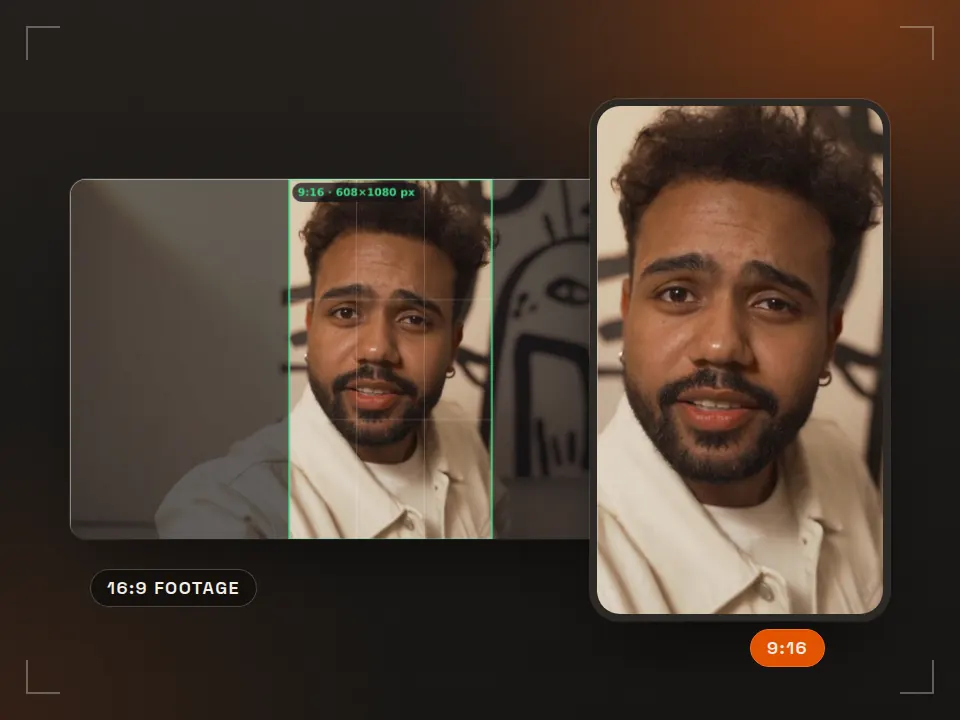
Tool Aspect ratio & crop
Reframe 16:9 for vertical What is it for? Shows how a horizontal video gets cropped for a phone screen. Runs in your browser9:16 · 4:5 · 1:1 -
 Pack
Pack Free SFX pack
40 edit-ready sounds What is it for? Short free sounds for transitions and accents in your edits. 40 sounds · WAVCommercial use OK -
 Pack
Pack Free LUT pack
Consistent color in one step What is it for? Ready-made color looks that grade your footage in one click. 5 LUTs · .cubePremiere · DaVinci · CapCut
We plan vertical video around the safe zone from the start
Rast Creative Studio is a video production studio in Sakarya, Turkey. We shoot Reels, TikTok and Shorts with 9:16 in mind on set, not in the edit: hook, captions and logo placement are planned before the camera rolls. If you need vertical content or a brand film, tell us about your project, in English or Turkish.
Email the studio